Block Zero
Block Zero is a third-person action game in an open low-poly city. You are a blocky mutant born of the outbreak: every wall is a road to the roof, every roof is a launch pad. Sprint into a building to run straight up its wall, hold jump to glide across the streets, dash in mid-air and land wherever you like. Your very first move is a leap from a rooftop into a crowd of infected. The city has three zones — the quiet residential blocks, the quarantine full of infected and the corporate base in the north. Resistance terminals give short missions: thin out the infected, hunt down a witness, burn out a nest that fights back in three waves. Weaken an enemy and absorb it to heal, gain biomass and even take its appearance: security will not shoot at one of their own.
Play Block Zero
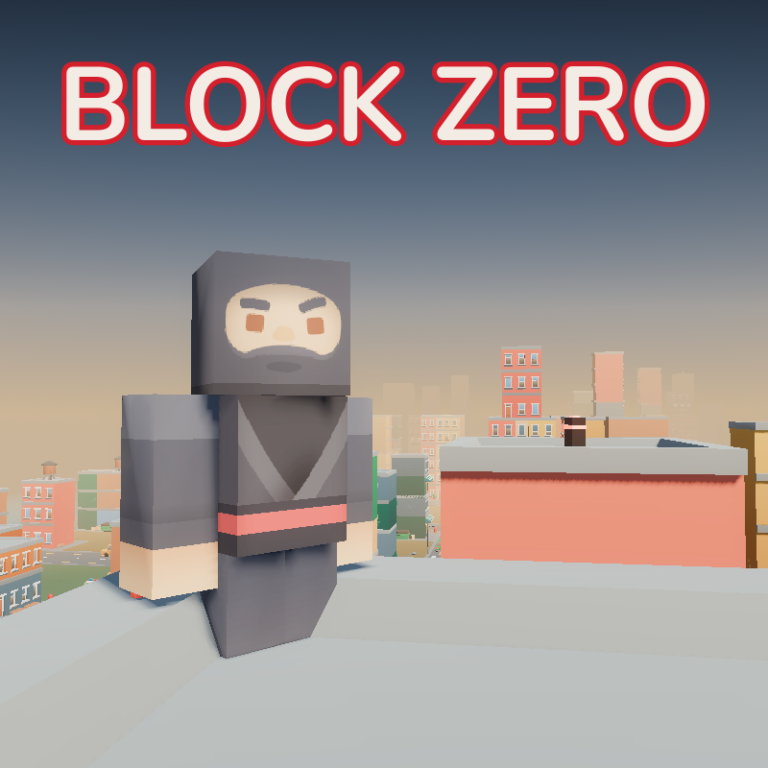
The game loads from Playgama when you press Play. The provider may display advertising and purchase offers.
Open game in a new tab if the player does not load.
How to play
1. Press "Play". You start on a rooftop above a crowd of infected — jump down into them. The first mission teaches every move on the way: fighting with borrowed mauls, absorbing, throwing a car, running up a wall and gliding.
2. Move with WASD or the arrow keys (on a touch screen — the stick on the left half of the screen). Hold Shift or push the stick to the edge to sprint.
3. Sprint into a wall to run up it. Tap Space for a short jump, hold it for a high one; hold it in the air to glide. Ctrl (or the Dash button in the air) dashes forward.
4. Left click (the Attack button) strikes with claws — tap three times for a combo. The camera turns with the mouse after a click on the game; without mouse capture drag with the right button (on a touch screen — drag on the right half).
5. A weakened enemy gets a marker: press E (the context button) to absorb it.
6. Q (the Echo button) highlights mission targets through walls. Esc or the pause button in the top-left corner pauses the game.
7. Terminals give missions: walk up to one and press E. The arrow at the screen edge points to the goal.
8. Hold the attack button for a maul smash (after mission 4); F (the Harpoon button) hooks and pulls enemies in (after mission 7); Tab (the Form button) switches arm forms.
9. E next to a car lifts it; E or attack throws it — the best answer to drones, turrets and the helicopter.
10. Yellow pillars start medal challenges outside missions and alerts: press E (the context button) next to one. R (the circle-arrow button) restarts a challenge at once; the "Daily challenge" card in the menu takes you straight to today's one.
11. The "Achievements" button in the menu lists all 10 achievements: each with its icon, name, what to do to unlock it and your progress.
Device support
The provider catalogue lists: For Android, For IOS, For Desktop. Compatibility and performance depend on your browser, device and connection.
Frequently asked questions
Do I need to install an app?
No app installation is required for this browser version. A compatible browser and internet connection are needed.
Who provides the game?
This game is supplied through the Playgama partner catalogue. Its software and artwork belong to their respective rights holders. CLAWLOYAL does not claim ownership of it.
What if it does not load?
Use the new-tab link in the player, check your connection and try a current browser. If the problem continues, report the game address and device details through our Contact page.