Hard Crash: Zombie Rush
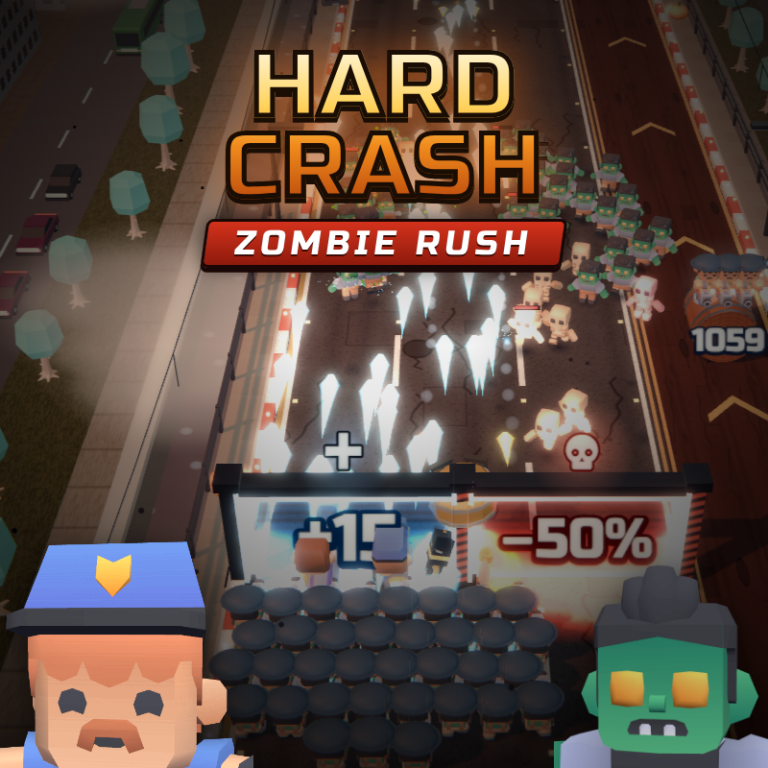
The city has fallen to the undead, and only your squad can fight across the bridges to the last safe zone. Lead a crowd of soldiers forward and choose your gates wisely: blue gates add soldiers and multiply your squad, red gates take them away, golden gates call in air strikes, chain lightning, freezing blasts and paratroopers. Shoot targets to upgrade weapons from rifles to plasma, smash barrels for reinforcements and free special heroes from their capsules: Titan with rockets, Storm with a minigun and more. Between battles, build up your base: the farm, factory, barracks, HQ and arsenal work even while you are offline. Train riflemen, machine gunners, grenadiers, snipers, medics, flamers and shieldbearers. Level up heroes, gear them with loot from chests and upgrade your combat drone. 10 city districts with bosses, time races, a collapsing bridge, base defense against raids, a daily challenge with its own leaderboard, a battle pass, achievements and seasonal events.
Play Hard Crash: Zombie Rush
The game loads from Playgama when you press Play. The provider may display advertising and purchase offers.
Open game in a new tab if the player does not load.
How to play
Swipe or drag left and right (arrow keys or A/D on a computer) to steer your squad. Soldiers shoot automatically.
Go through blue gates: "+" adds soldiers, "×" multiplies your squad. Red gates take soldiers away, so steer around them. Golden gates grant one-time bonuses: air strike, chain lightning, freeze, shield and more.
Shoot barrels for reinforcements, coins and hero energy. Targets with an arrow upgrade your weapons. When a hero's ring is full, tap their portrait to use a skill.
Winning a stage gives resources. At the base, tap buildings to upgrade them and collect income from the farm, factory and HQ. The barracks trains new soldiers, and the Squad screen lets you pick heroes and your lineup.
Device support
The provider catalogue lists: For Android, For IOS, For Desktop. Compatibility and performance depend on your browser, device and connection.
Frequently asked questions
Do I need to install an app?
No app installation is required for this browser version. A compatible browser and internet connection are needed.
Who provides the game?
This game is supplied through the Playgama partner catalogue. Its software and artwork belong to their respective rights holders. CLAWLOYAL does not claim ownership of it.
What if it does not load?
Use the new-tab link in the player, check your connection and try a current browser. If the problem continues, report the game address and device details through our Contact page.